
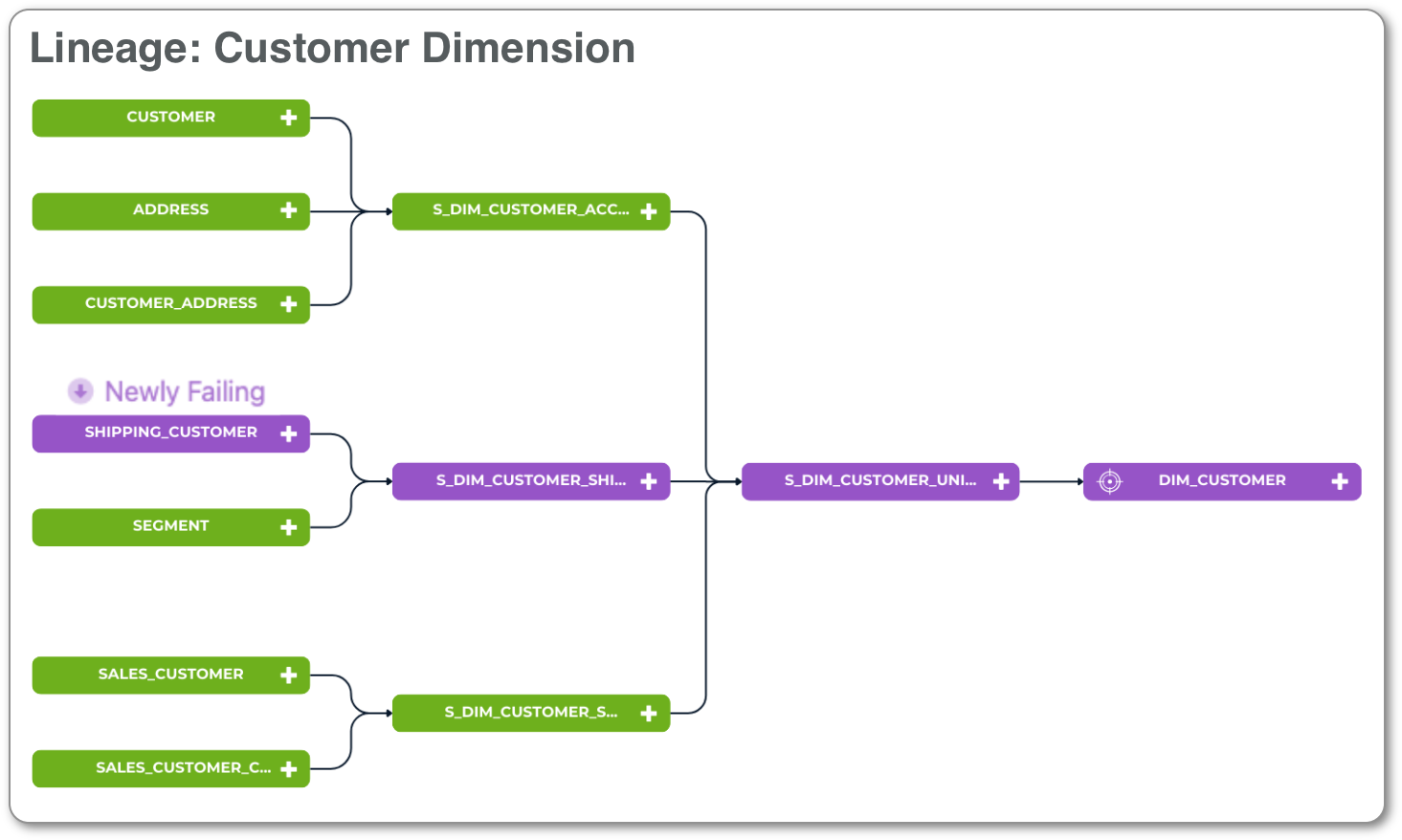
Lineage across the systems that feed one table
Keep the systems your business runs on in sync, so everything keeps running smoothly.
An order ships but never gets invoiced. A customer pays, the payment never posts, and they get a late notice anyway. Sales and finance report two different revenue numbers. Validatar catches these gaps between systems early, so they're fixed before a customer, the CFO, or an auditor finds them.
Lineage across the systems that feed one table
Without an automated process, keeping your systems in sync falls to people, spreadsheets, and the last few days before close.
The numbers don't tie out days before month-end, and the team drops everything to find out why.
Analysts and engineers lose days to exports, lookups, and eyeballing rows instead of the work they were hired to do.
Finance points at the data team, the data team points at the source system, and no one can prove where the difference began.
Once a report has been wrong, every figure gets second-guessed, decisions slow down, and auditors dig deeper.
Four questions, from a quick check to the exact record. Each one builds on the last, so when something is off you know exactly where.
Both systems describe the same customers, orders, or policies in a way that lines up record for record.
Record counts and dollar totals match overall and by region, product, or period. A quick daily signal.
Every order, invoice, or payment that's in one system but not the other is named.
Same record, different amount, status, or date. Each difference is pinpointed field by field.
Anywhere two systems are supposed to agree, and the business depends on them staying in sync.
What sales booked and what billing invoiced match, so nothing ships for free.
Billing, payments, and the GL tie out before close, not during it.
Files you send to or receive from partners match what your own systems say they should hold.
Financial and regulatory reports match the systems they're built from.
Short answers to what teams ask first.
Making sure systems that hold the same business data agree: the same records, with the same values. Validatar compares them record by record and pinpoints every difference.
ETL testing checks the pipelines that load your warehouse or lake. Reconciliation checks that the business systems your teams use every day agree with each other. See ETL testing and monitoring.
A migration is proven once, at sign-off. Reconciliation is ongoing: it keeps systems that both stay in use in sync, day after day. See cloud migration validation.
Yes. Each reconciliation reads one side from a source and the other from a target, and the target can sit on a different platform.
Run quick checks on counts and totals daily and before every close. Run detailed record-by-record compares on a schedule that fits, such as nightly on recent changes and weekly in full, plus whenever a partner file arrives.
The failing rows name the key and the column that differ. With the Jira integration, each failure opens an issue for the team that owns the fix, and the result history shows when it started.
Walk through reconciliation on your own systems with our team.